
Leverage the power of AI to understand better your documents
Claybridge Studio is an AI-driven knowledge management platform that will allow you, through conversational virtual assistants, to improve the productivity of your company by optimizing the exploration and search of documentation and the automation of processes.

Convert text into knowledge and understand it better
Want to know if a contract has some clause or the meaning of a written concept in some of your document? No problem. Claybridge Studio can search, retrieve and understand it for you. It uses novel approaches to get the job done automatically (RAG, ReAct, LLM)
Enterprise features
Claybridge Studio is secure, scalable, reliable and auditable. Documents are secured by audiences that can mimics your enterprise hierarchy. Employees will only see and interacts what they have access to.
Multiple formats and OCR
Claybridge Studio supports PDF and Office (Microsoft, OpenOffice, LibreOffice) documents. Scanned documents will be OCRed automatically.
Internet search
Augment local search results with Internet Search engines (like Google or Bing) to improve AI generated responses.
Language understanding
We can use GPT and other popular LLMs to understand user intents and solve task like translation, summarization or document understanding.
Private and secure
All AI services are self-hosted in Microsoft Azure privately and all the stored documents are encrypted at rest. We do not use any third party services and do not share any information with the provider or other companies.
Multi-channel support
You can connect Claybridge Studio bots with Microsoft Teams, Slack, Alexa and other channels. You can even use Claybridge Studio from your own application using our API.
One product, unlimited solutions
Talk to your documents, import them from your existing systems, and develop skills to automate common tasks.
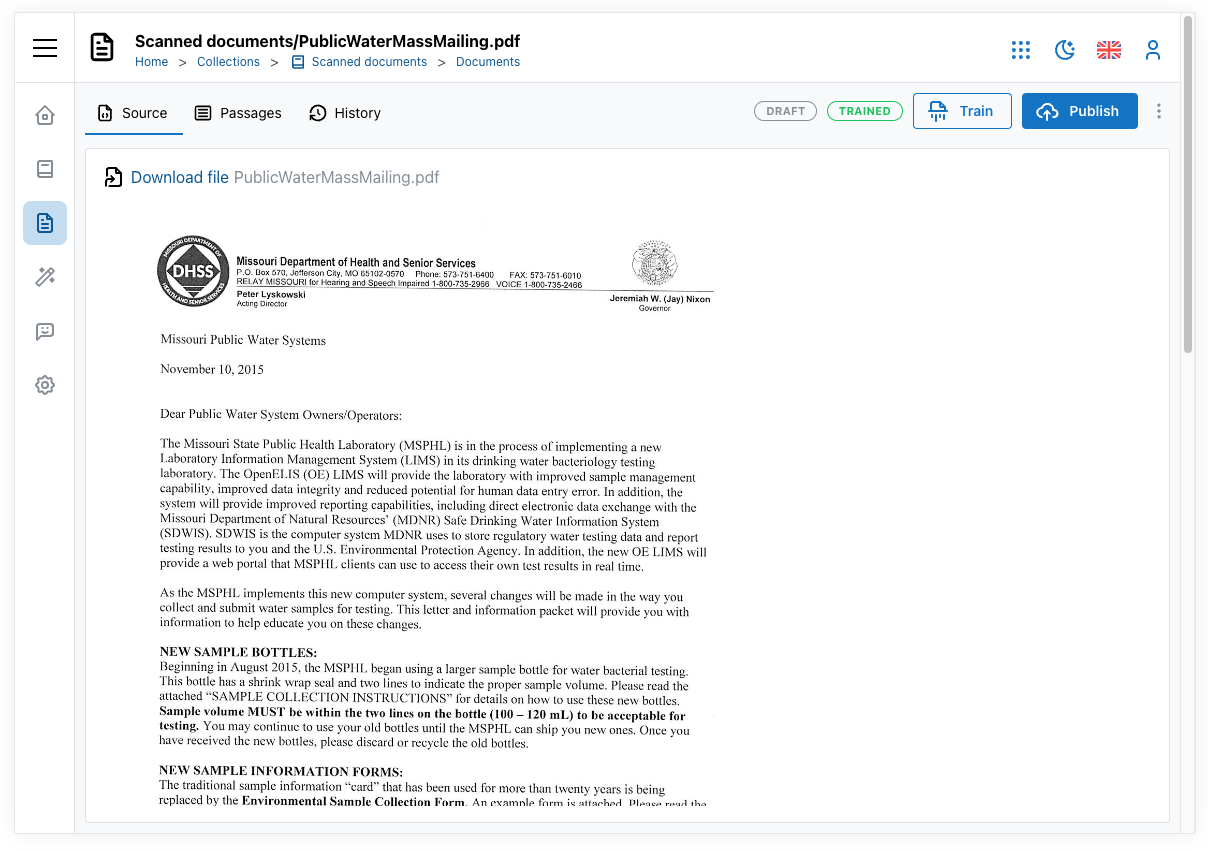
Where are your documents?
You can let Claybridge Studio crawl your document sources actively using our predefined crawler types, or you can build your own crawler and send documents using our existing API. We have built tailored crawlers that obtain documents from their on-premises systems.
- Crawl web sites
- Get documents from SharePoint document library
- Connect ServiceNow Knowledge bases
- Send documents from your local NAS or File server
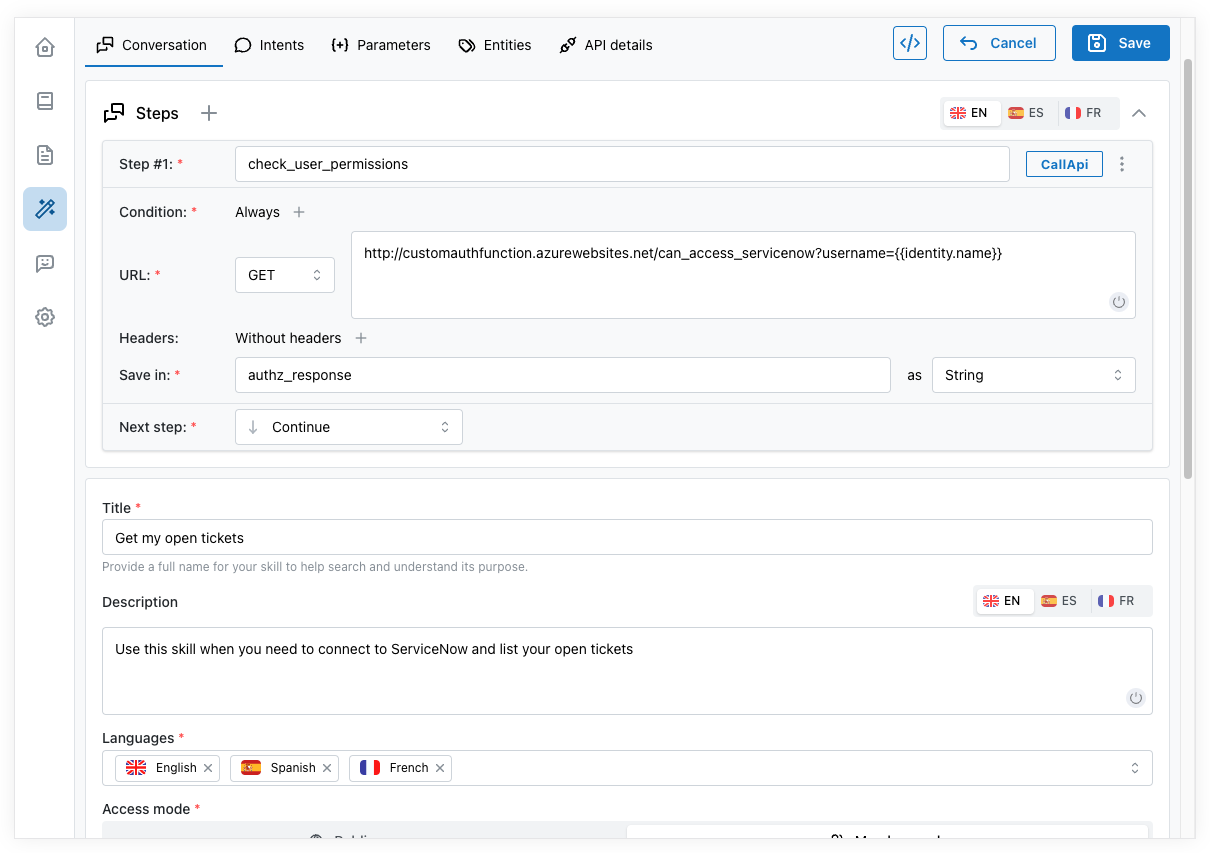
Let the AI do the heavy lifting
Develop conversational flows to automate common tasks. The AI will drive the conversation and will call your systems API to fulfill the necessary steps. Some examples are:
- List my open tickets (The AI connects to ServiceNow and gets the open tickets)
- Get documents from SharePoint document library
- How many vacations I have left? (The AI connects to SAP to obtain that information)
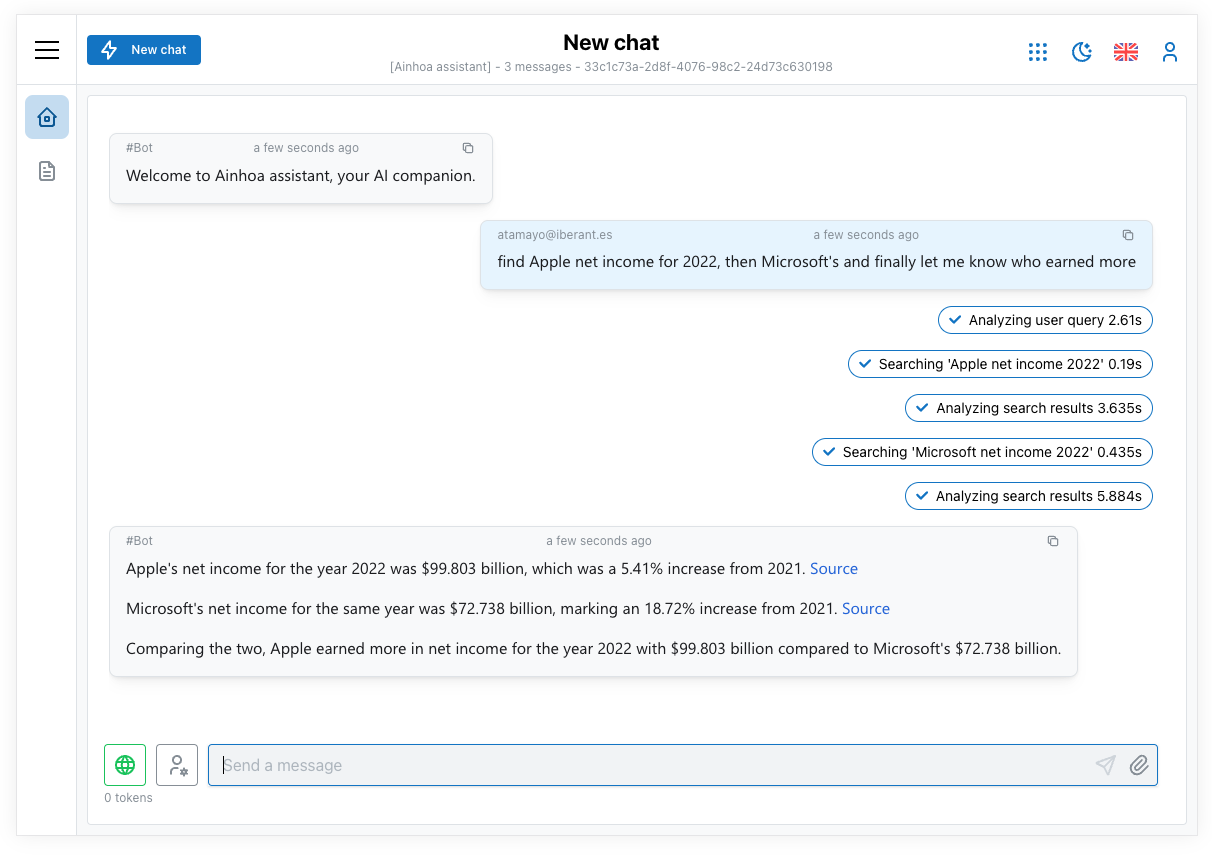
Give me insights about my docs
Claybridge Studio can search, but also can answer questions based on your documents or scanned procedures. Some examples:
- What this document talks about?
- Find the net income of Company A, then Company B and let me know who earned more in 2022
- Do this document mentions the insurance policy?
AI agents that work with your ecosystem
Build agents in Claybridge Studio, or bring the ones your teams already have. Every agent can take part in the same conversation, whether it runs here or somewhere else.
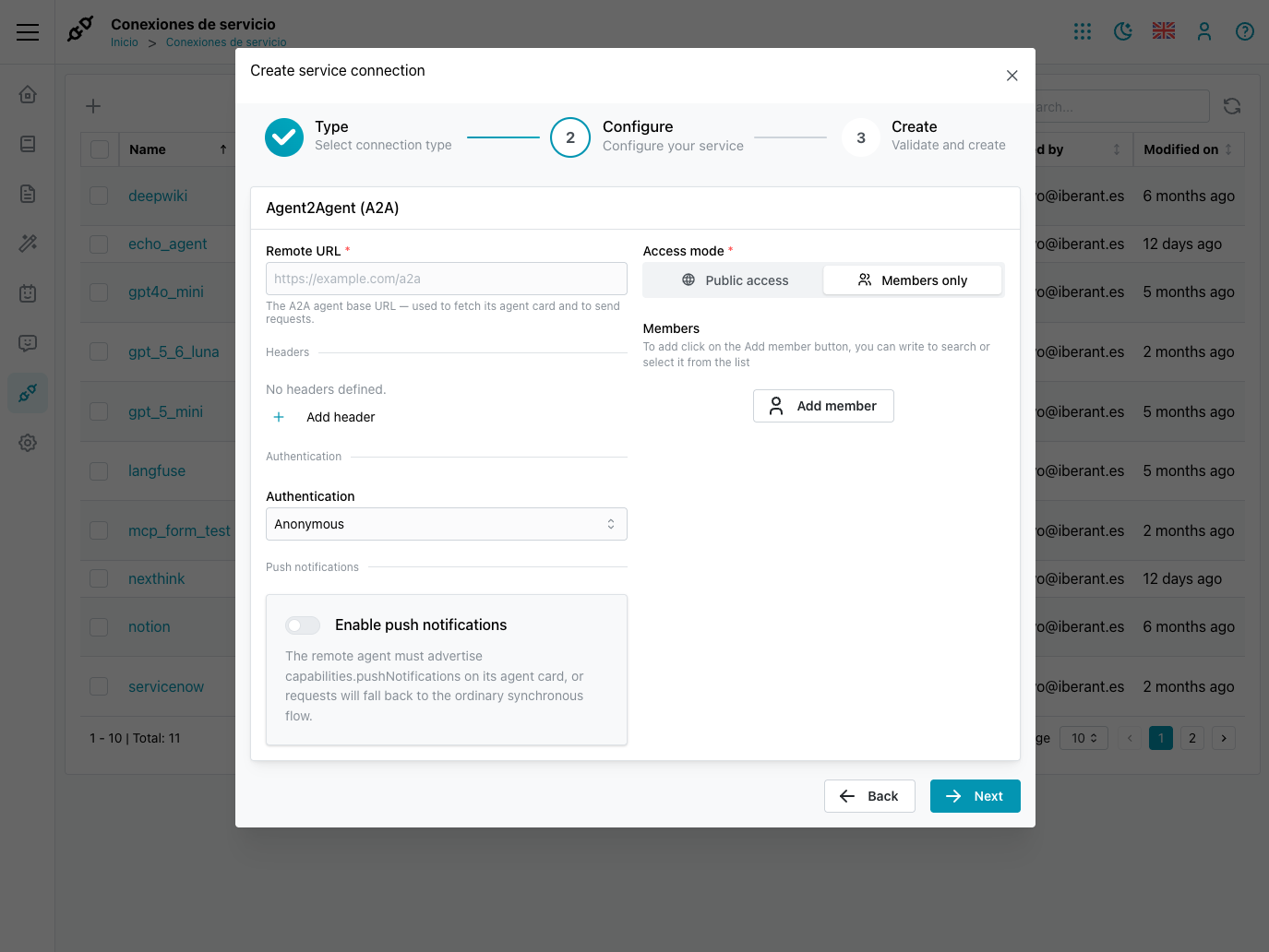
Agents with A2A support
Connect remote agents through the Agent2Agent (A2A) protocol. A remote agent behaves like any other agent in Claybridge Studio, so the assistant can hand a conversation over to it and take it back when it is done.
- Discover remote agents from their agent card
- Streaming responses and push notifications for long-running tasks
- Anonymous, API key, Basic and OAuth authentication, with credentials stored encrypted
- Delegate from built-in agents to remote ones and back
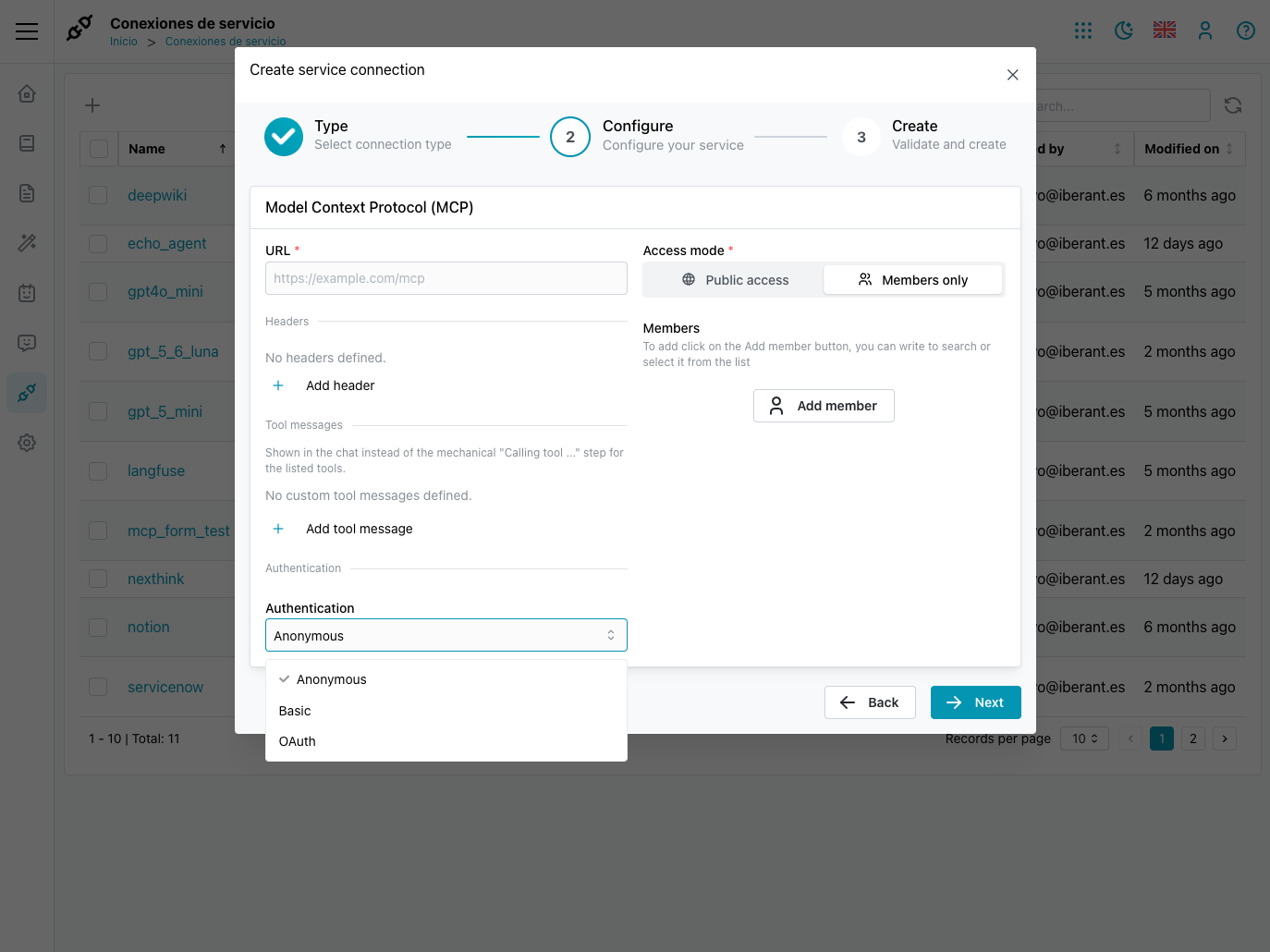
MCP servers for your tools and data
Give your agents access to the systems your company already uses through the Model Context Protocol (MCP), without writing custom integrations.
- Connect external MCP servers and choose which agents can use them
- Authentication with headers or OAuth, including an interactive sign-in inside the chat
- Friendly, localized progress messages while a tool is running
- Interactive forms rendered in the conversation when a tool needs more information
Talk to us
Tell us about your project and we will get back to you. The form opens your email client with the message ready to send.